Using Category Sectors
Learn how to organise your categories and subsectors so they align with your operational workflow, making it easier for users to search, identify and manage accounts across the CRM.
Thought Process
The Category Sectors feature has been designed so you can build it around the way your organisation actually works. Every business groups its customers, markets or services slightly differently, so the system gives you the flexibility to create a structure that fits your own operational workflow.
What to consider
- How your business naturally groups customers, services or industries.
- Whether broad main categories with more detailed sub categories would work best.
- How your team is most likely to search for accounts within the system.
- How the structure will support the business as it grows in the future.
Need a second opinion?
If you are struggling to decide how best to map this out, or would simply prefer some guidance before you begin, just drop us a note.
Getting the structure right from the start can make a big difference to how easy the CRM is to use day to day.
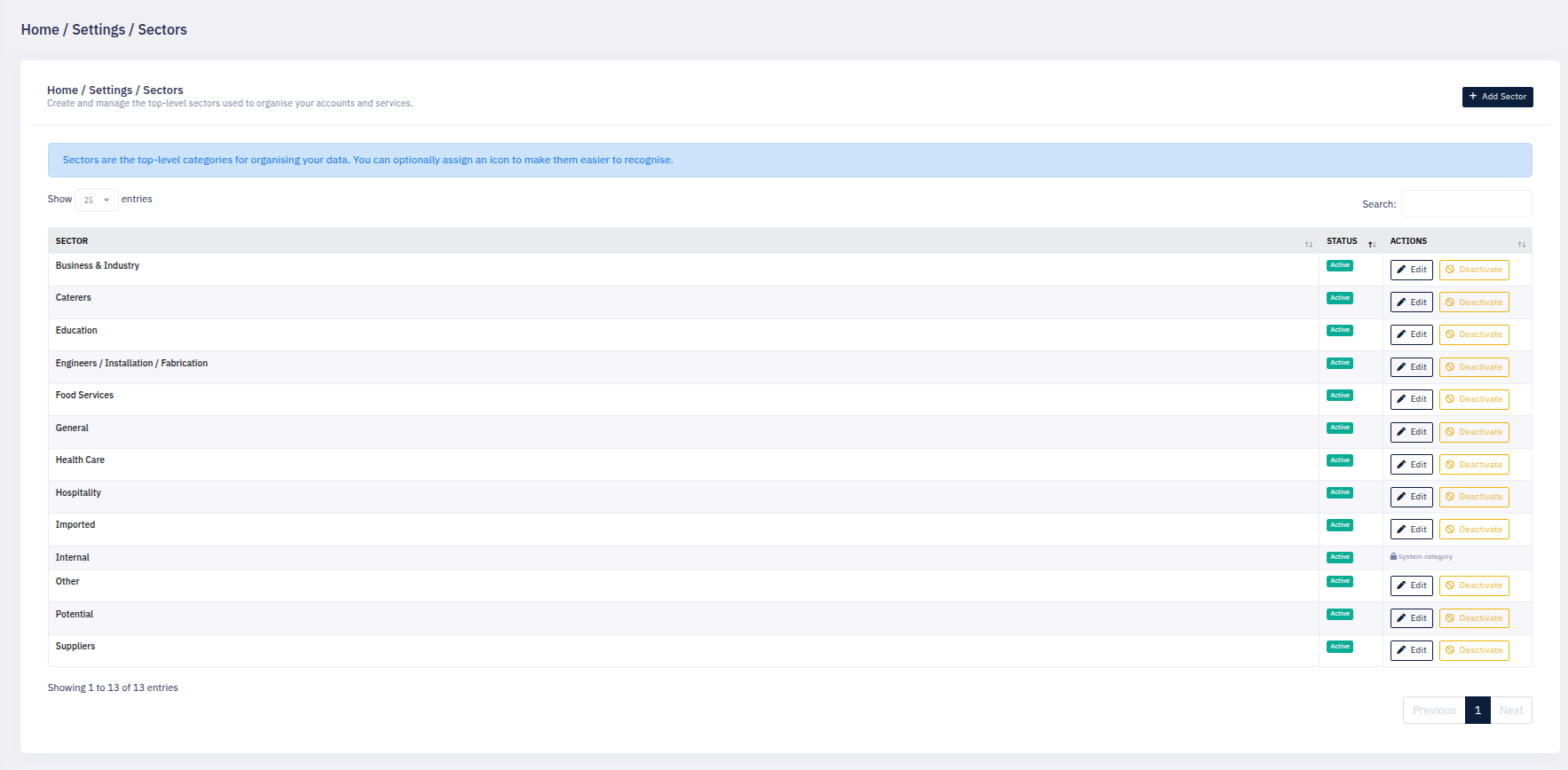
Our Reasoning / Result
The strength of Category Sectors is that they make information easier to organise, easier to expose across the system, and easier for users to find quickly.
To achieve this, the structure has been divided into Main Categories and Sub Categories. This gives a clear hierarchy while still allowing enough detail to reflect the way your organisation operates.
Main Categories
Main Categories act as the top-level grouping for your accounts, markets, products or services. These provide the broad structure that users work from.
Sub Categories
Sub Categories allow you to refine the structure further. This is also where the icons are displayed visually on the sectors, helping users recognise and search for specific categories more easily.
Getting this right when you first build your categories can play a crucial and important role in the future of your organisation. A well-planned structure makes searching, reporting and day-to-day usability far more effective.
What This Helps You Achieve
- Create a category structure that matches your operational workflow.
- Improve visibility across the CRM.
- Make categories easier to identify visually through icons.
- Help staff search for specific sectors more quickly.
- Build a stronger structure for future reporting and growth.
Getting the Most From Category Sectors
Flexible Category Structure
Category Sectors are fully flexible and allow you to create as many categories and subsectors as your organisation requires.
Many CRM systems limit the number of categories available, but Affiliate CRM keeps this open so you can structure the system in a way that suits your own operational workflow.
Plan Your Structure Carefully
- Start broad with your main categories, then refine with sub categories.
- Think about how staff will search for categories most often.
- Keep the structure practical rather than overly complicated.
- Use clear category names that make sense to everyone in the business.
- If you are unsure, ask for help before building out the full structure.
Taking a little extra time to plan your category structure at the start can save a lot of restructuring later and will make the CRM easier for everyone to use.