Using Category Sub Sectors
Learn how sub sectors help break down your main category sectors into more detailed groupings, making filtering, targeting and reporting easier across the CRM.
Thought Process
Category Sub Sectors are designed to work alongside your main Category Sectors, giving you a more detailed way to divide and organise account data. The idea is simple: first create your main header in Category Sectors, then use Sub Sectors to break that down into the more specific company types you want to identify and target.
Why split sectors further?
- Create a clearer structure beneath your main category sectors.
- Make filtering easier when reviewing target clients and results.
- Help users find the right type of account more quickly.
- Support more accurate targeting for future activity and outreach.
Example structure
Think of a main category sector such as Health. The related sub sectors could then include:
- Hospitals
- Hospices
- Care Homes
- Clinics
- Dentists
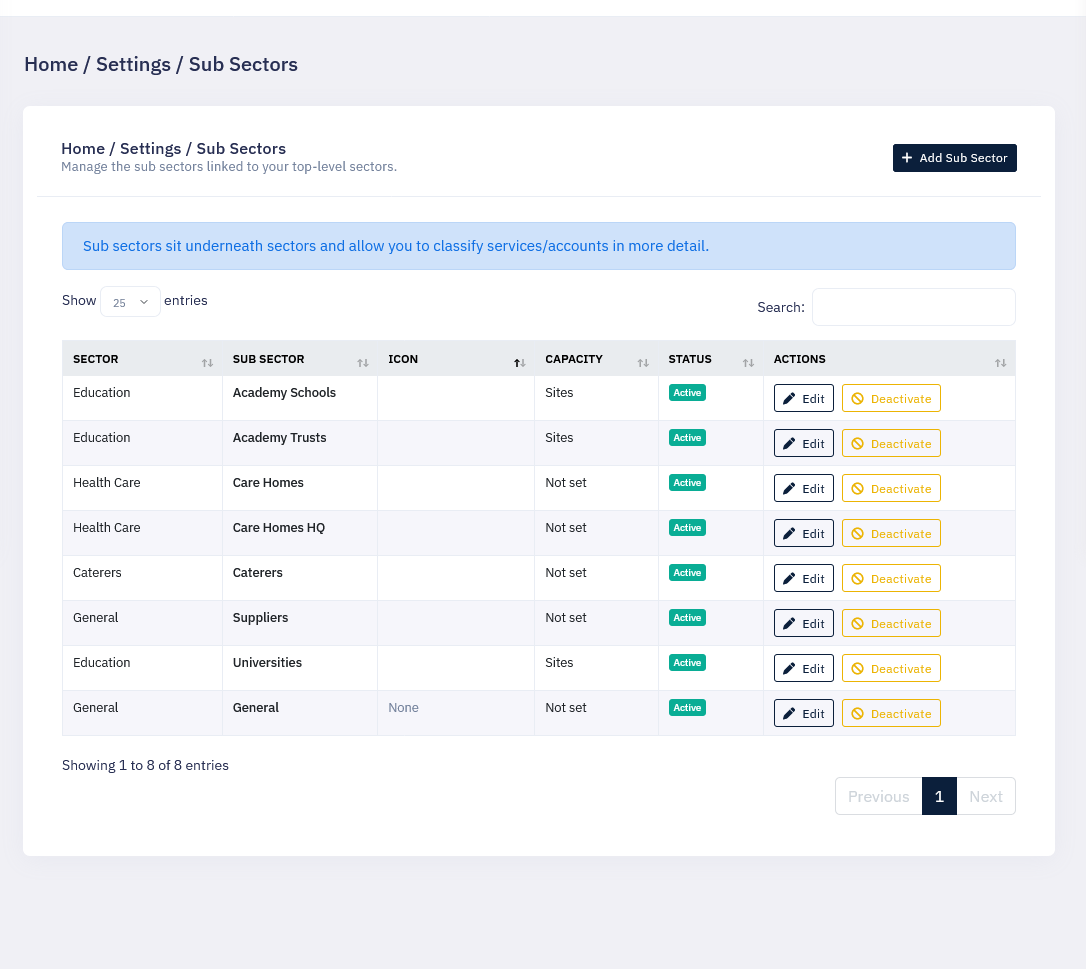
Our Reasoning / Result
Category Sub Sectors were created with company types in mind, making it easier to identify and target specific groups of customers for a more tailored approach.
Rather than keeping everything too broad, Sub Sectors allow your team to work with more meaningful groupings, giving better visibility into where your efforts are focused and where opportunities may still exist.
Better Targeting
Sub Sectors help you target certain customer groups more precisely, making outreach and planning more relevant to the type of business you are trying to reach.
Stronger Reporting
They are also useful when running reports, forecasting, reviewing performance and spotting gaps in company direction for future targeting.
What This Helps You Achieve
- Break broad sectors into meaningful company types.
- Make account filtering faster and easier.
- Improve targeting for outreach and follow-up activity.
- Support clearer reporting and forecasting.
- Highlight gaps and opportunities for future direction.
Getting the Most From Category Sub Sectors
Build From the Top Down
Create your main Category Sector first, then add the Sub Sectors underneath it. This gives the CRM a clear structure and makes the categories easier for staff to understand and use.
Use Sub Sectors for Filtering
The more accurately your Sub Sectors reflect company types, the easier it becomes to filter data, review results and identify the right target clients for future activity.
A well-planned Sub Sector structure makes it much easier to review market coverage, refine your targeting and understand where the business may want to focus next.