Using Parent Linked Search
Learn how the parent-linked search helps you move from a parent account to the related linked accounts, making group structures easier to review and manage.
Thought Process
Some organisations work with one main parent account and several linked child or branch accounts underneath it. In those situations, it is helpful to move quickly between the parent and the wider linked structure without needing to search manually each time.
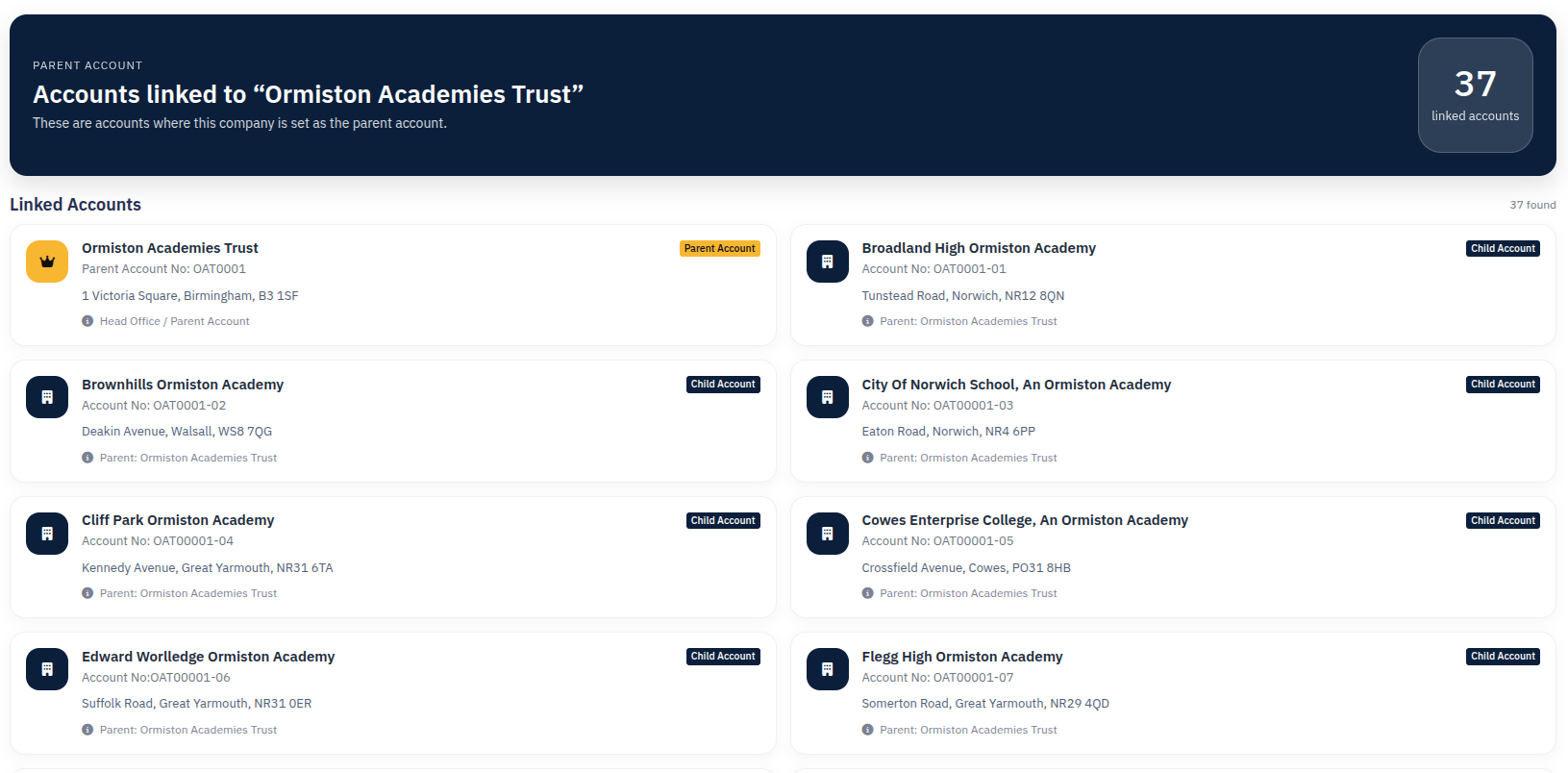
The parent-linked search is designed to make that easier. It gives users a way to click from the parent reference shown on an account and bring back the wider linked account group on the search page.
Why it matters
Linked account structures are easier to understand when staff can move around them quickly instead of treating every record as completely separate.
Why it helps
This gives users a clearer way to review a parent relationship and see the accounts connected underneath it.
What Parent Linked Search Does
Start from the parent record
When a parent account is linked to other accounts, the parent name can be shown as a clickable reference.
Bring back linked accounts
The search can then return accounts linked to that parent structure rather than only the one record you started on.
Move back into the right account
Once the linked results are shown, you can open the exact account you want to work on next.
Review the wider structure
This makes it much easier to understand which accounts sit under the same parent relationship.
Give fast visibility
Users can quickly see whether they are dealing with a stand-alone record or part of a wider linked group.
Reduce repeated searching
Instead of typing again, the parent link gives a faster route into related results.
How the Parent Link Appears
On accounts that sit under a parent, the account page can show the parent name as a clickable link beneath the main company title area.
On the child account
You can see which parent account the record belongs to.
On click
The search opens and helps bring back the linked account relationship around that parent.
When Staff Usually Use It
Multi-site organisations
Helpful where one organisation has several linked branches, sites, or sub-accounts.
Shared ownership structures
Useful where several records roll up into one wider client group or parent business.
Before making contact
Staff may want to check what else sits under the same parent before calling or visiting.
During reviews and handovers
It is useful when someone needs quick context around the full linked account structure.
Simple Walkthrough
- Open an account that has a parent account linked to it.
- Find the parent name shown near the top of the account view.
- Click the parent name link.
- Review the returned linked account results.
- Open the account you want to work on next.
Getting the Most From Parent Linked Search
Use it from child records
It is especially useful when you have started on one linked account and want to see the wider parent group.
Use it for navigation
Think of it as a shortcut into related account structure rather than just another search result.
Check the full group before updating
Reviewing linked accounts first can help avoid updating the wrong branch or duplicate record.
Useful for relationship context
It helps staff understand whether they are looking at one account in isolation or part of a bigger structure.
Parent Linked Search Example